
Install and connect
Mount the BRNKL Mate and connect it to power and your BRNKL 5G.
Meet your Mate
Familiarise yourself with the Mate's ports before installing.
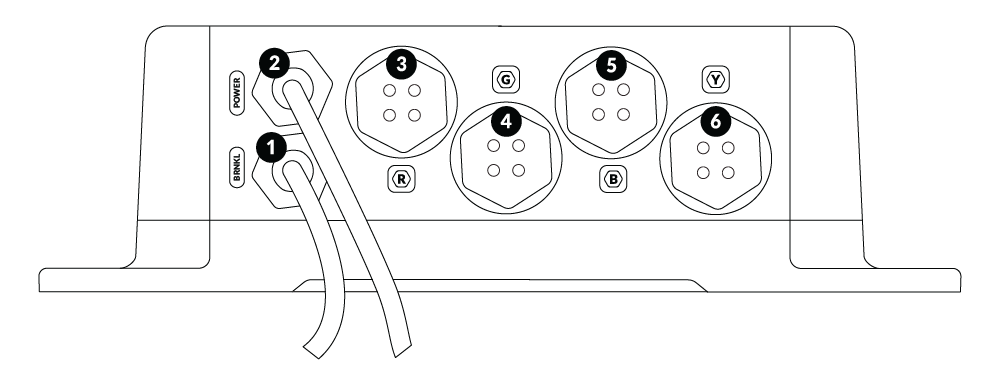
Label | Component |
|---|---|
1 | BRNKL cable — connects to BRNKL device port |
2 | Power cable — connects to BRNKL connector slots 10 and 14 |
3 | Red port (R) — satellite device |
4 | Green port (G) — multipurpose |
5 | Blue port (B) — Camera 2 |
6 | Yellow port (Y) — Camera 1 |
7 | Status indicator light |
What you need
In the box
BRNKL Mate
Mounting screws (4)
Tools and supplies
2.5 mm flathead screwdriver (included with BRNKL)
Phillips #2 screwdriver
Wire stripper and crimper tool
Cable ties and cable tie mounts
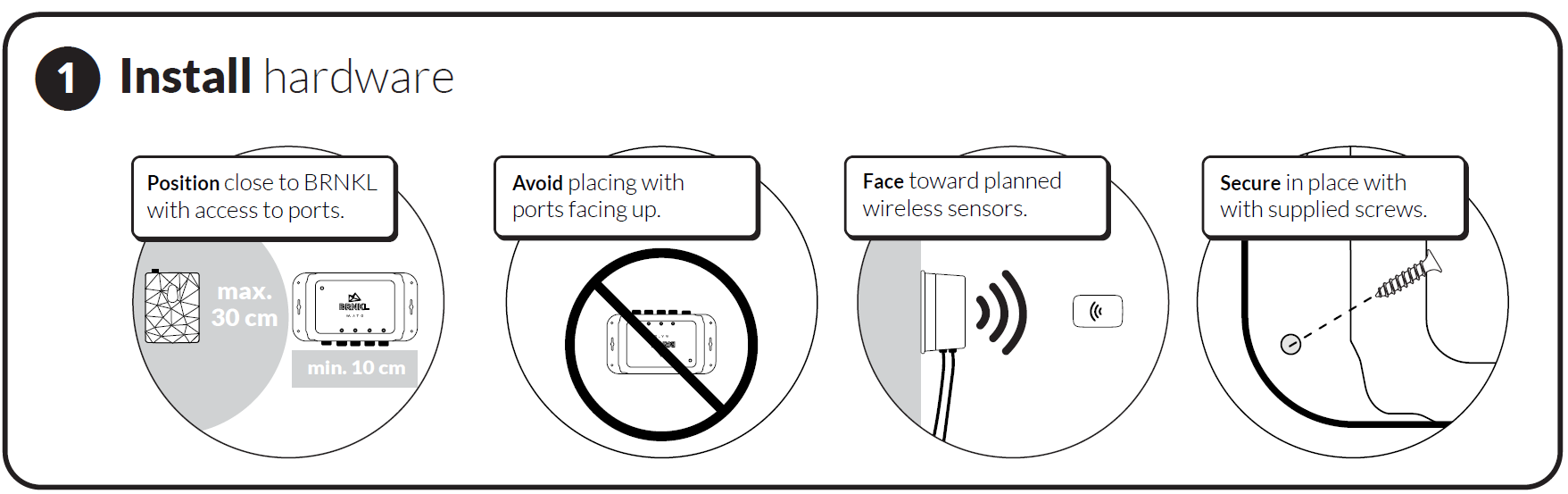
Select a position
Choose a mounting location that meets all of these requirements:
Indoors
Within 30 cm (12") of the BRNKL if using standard cables
Stable mounting surface
At least 10 cm (4") clearance below the unit to access the ports
Do not mount with the ports facing up
Orient the face toward planned wireless sensor locations
Mount the Mate
Align the Mate in your chosen position.
Mark the four screw holes. Drill pilot holes on hardened surfaces if needed.
Secure with the four supplied screws.
Prepare the power cable
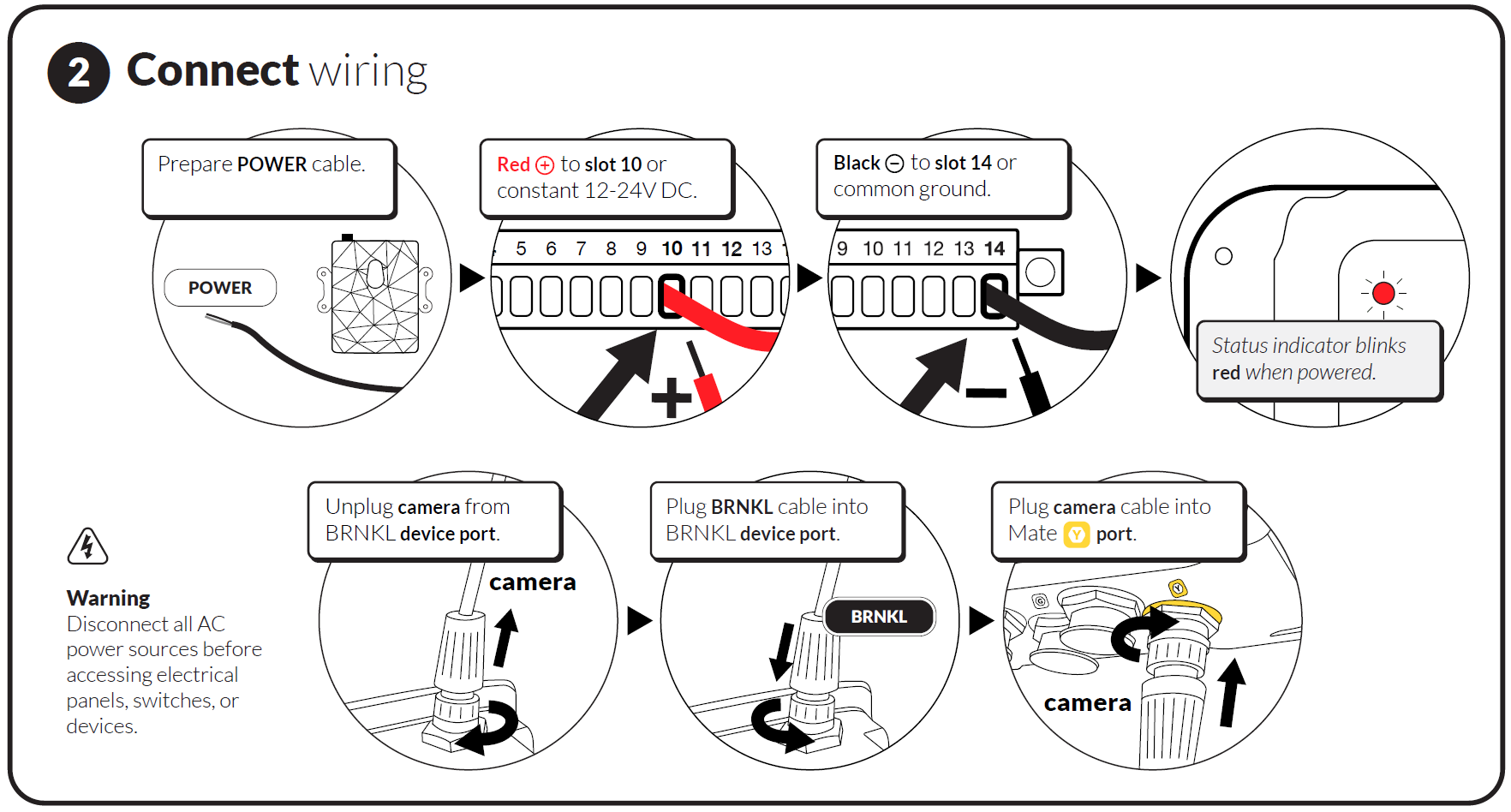
Run the POWER cable from the Mate to the green connector on the bottom of the BRNKL 5G.
Leave 5 cm (2") of slack at the BRNKL end, then trim any excess.
Strip 5 mm (¼") of insulation from the ends of the red (+) and black (−) wires.
Connect power to the BRNKL
On the bottom of the BRNKL 5G, remove the green connector.
Loosen the screw above slot 10. Insert the red POWER wire. Tighten firmly.
Loosen the screw above slot 14. Insert the black POWER wire. Tighten firmly.
Reattach the connector to the BRNKL.
Check the Mate's status indicator light:
Blinks red — Mate is powered. Continue to the next step.
Light off — power is not reaching the Mate. Check the wiring at slots 10 and 14.
Secure the cable with cable ties.

Do not remove any existing wires from the BRNKL connector. Insert the Mate power wires into unused slots alongside existing wiring.
Disconnect existing camera (if any)
Skip this step if no camera is currently connected to the BRNKL.
On the top of the BRNKL, find the device port.
Loosen the collar on the camera cable and pull to remove.
Connect Mate to BRNKL
Plug the Mate's BRNKL cable into the BRNKL 5G device port. Turn the collar to fasten.
Secure the cable with cable ties.