
Link Mate
Link the BRNKL Mate with your BRNKL 5G using the app. The Mate must be physically connected to the BRNKL before you start.

Make sure the BRNKL cable is connected to the BRNKL 5G device port before attempting to link. Linking will fail if the cable is not plugged in.
Link Mate with BRNKL
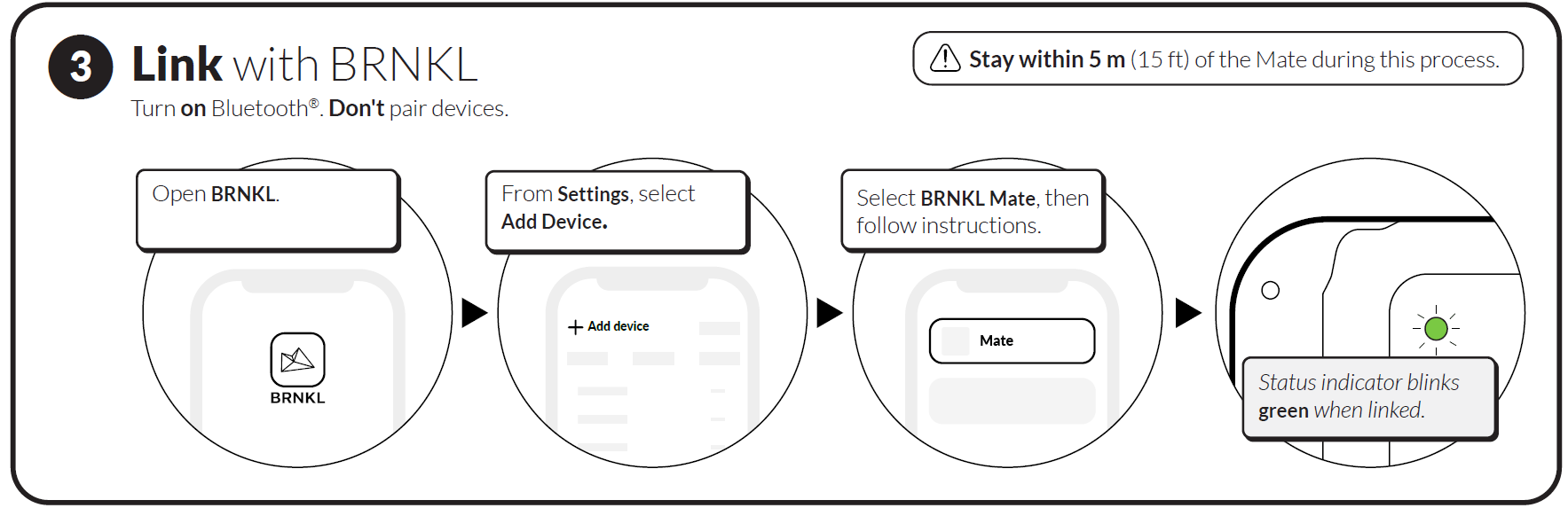
On your mobile device, turn on Bluetooth.

Do not pair your phone directly with the Mate — the BRNKL app handles the pairing internally.
Stay within 5 m (15 ft) of the Mate during the process.
Open the BRNKL app.
Go to Settings > Add device.
Select BRNKL Mate.
Point your camera at the QR code on the Mate to scan it, or enter the serial number printed on the label manually.
Follow the on-screen instructions.
Check the status indicator light on the Mate:
Blinks green — Mate is linked. Setup is complete.
Blinks red — Linking failed. Stay within 5 m and try again.
After successful linking, the Mate will appear in your BRNKL app as a connected device. Wireless sensors can now be paired through the app.
Setup complete
Your BRNKL Mate is connected and linked. For port and wiring reference, see Mate Connections.