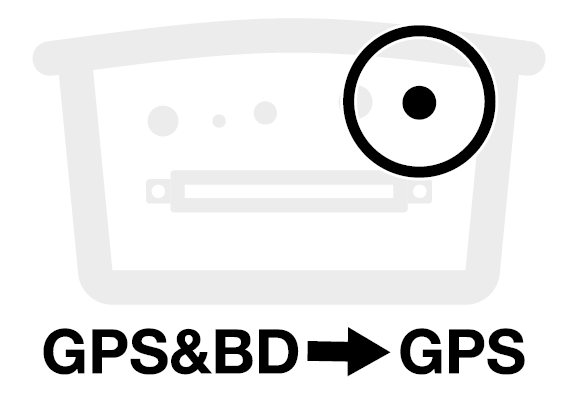
Position and mount your BRNKL 5G, then connect the antenna.
Video walkthrough
Meet BRNKL
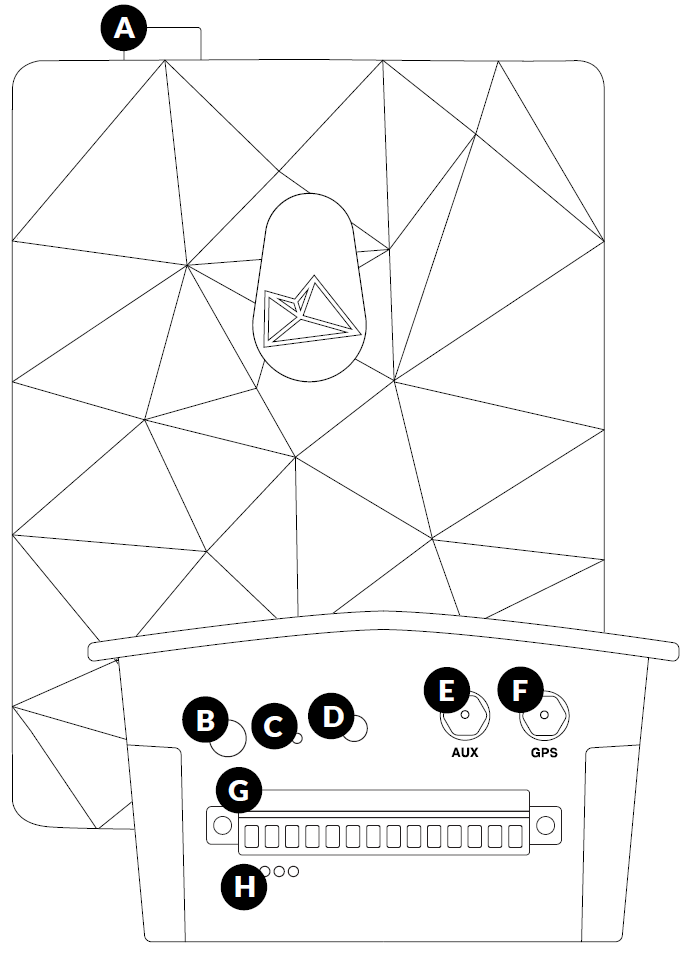
Familiarise yourself with the ports and controls before installing.
|
|
Component |
|---|---|
|
A |
Device port — camera, satellite device, or BRNKL Mate |
|
B |
Connection test button |
|
C |
Reset button |
|
D |
Indicator light |
|
E |
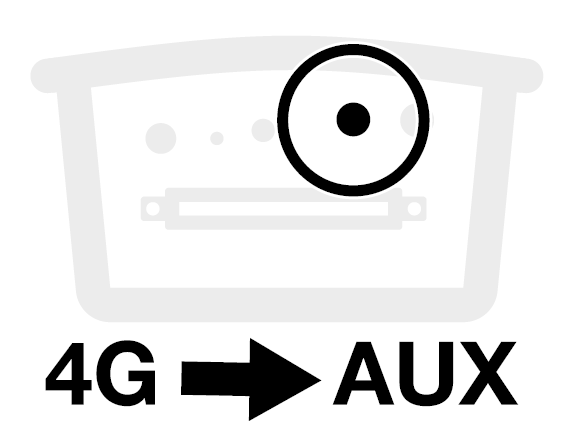
Mobile antenna port (AUX) |
|
F |
GPS antenna port (GPS) |
|
G |
Connector — wired devices and power |
|
H |
Environmental sensors — temperature, humidity, pressure, tilt |
What you need
In the box
-
BRNKL 5G
-
2.5 mm flathead screwdriver
-
Antenna
-
Mounting bracket with 8 screws
Tools and supplies
-
Phillips #1 screwdriver
-
Pencil
-
Cable ties and cable tie mounts
Install BRNKL
Select a position
Choose a mounting location that meets all of these requirements:
-
Indoors, in a dry location
-
Close to a constant, unswitched house battery terminal
-
Within 3 m (10 ft) of your planned antenna location
-
On a stable, preferably vertical surface
-
At least 5 cm (2") clearance at the top and bottom for port access
Do not mount with the bottom connector facing up. The connector must face down or sideways.
Attach the mounting bracket
-
Place the BRNKL face-down on a flat surface.
-
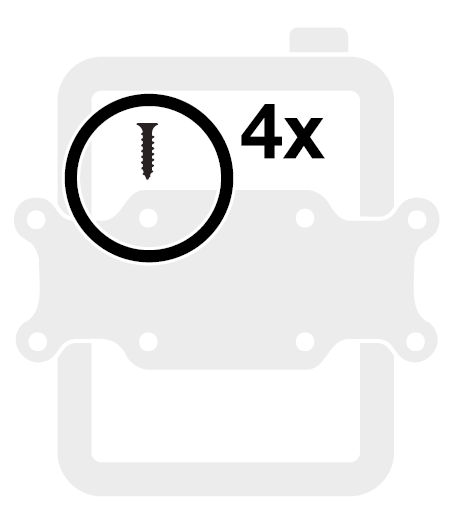
Align the mounting bracket with the four holes on the rear of the unit.
-
Secure using four of the supplied screws.
Mount the assembly
-
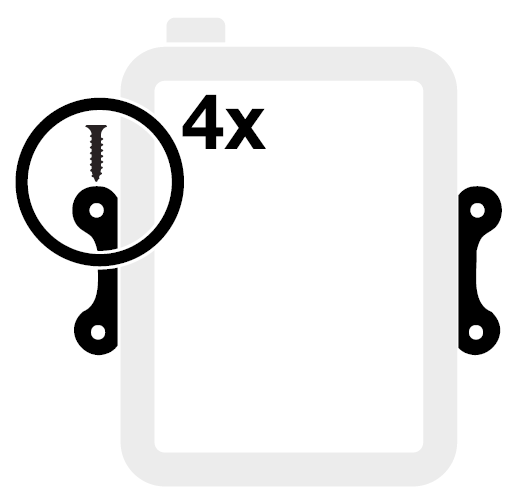
Hold the assembly against your chosen surface, aligned squarely.
-
Mark the four outer screw holes with a pencil. Drill pilot holes if needed.
-
Secure with the remaining four supplied screws.
Add antenna
Select antenna position
-
Within 3 m (10 ft) of the BRNKL
-
Metal hull: position outdoors, or indoors next to a window
-
Fibreglass hull: position outdoors, or indoors next to an outside wall or window
The top of the antenna must be facing upwards and have clear view of the sky.
Install the antenna
-
Clean and dry the mounting surface.
-
Completely remove the adhesive backing from the antenna base.
-
Press the antenna firmly into position for a few seconds.
-
Route the cable to the BRNKL and secure with cable ties.
Connect the antenna cables
On the bottom of the BRNKL:
-
Plug the 4G cable into the AUX port. Turn the collar to fasten.
-
Plug the GPS&BD cable into the GPS port. Turn the collar to fasten.