Connect DC output device

Connect a DC-powered output device to your BRNKL and a power source.

To connect DC output device, do one of the following:

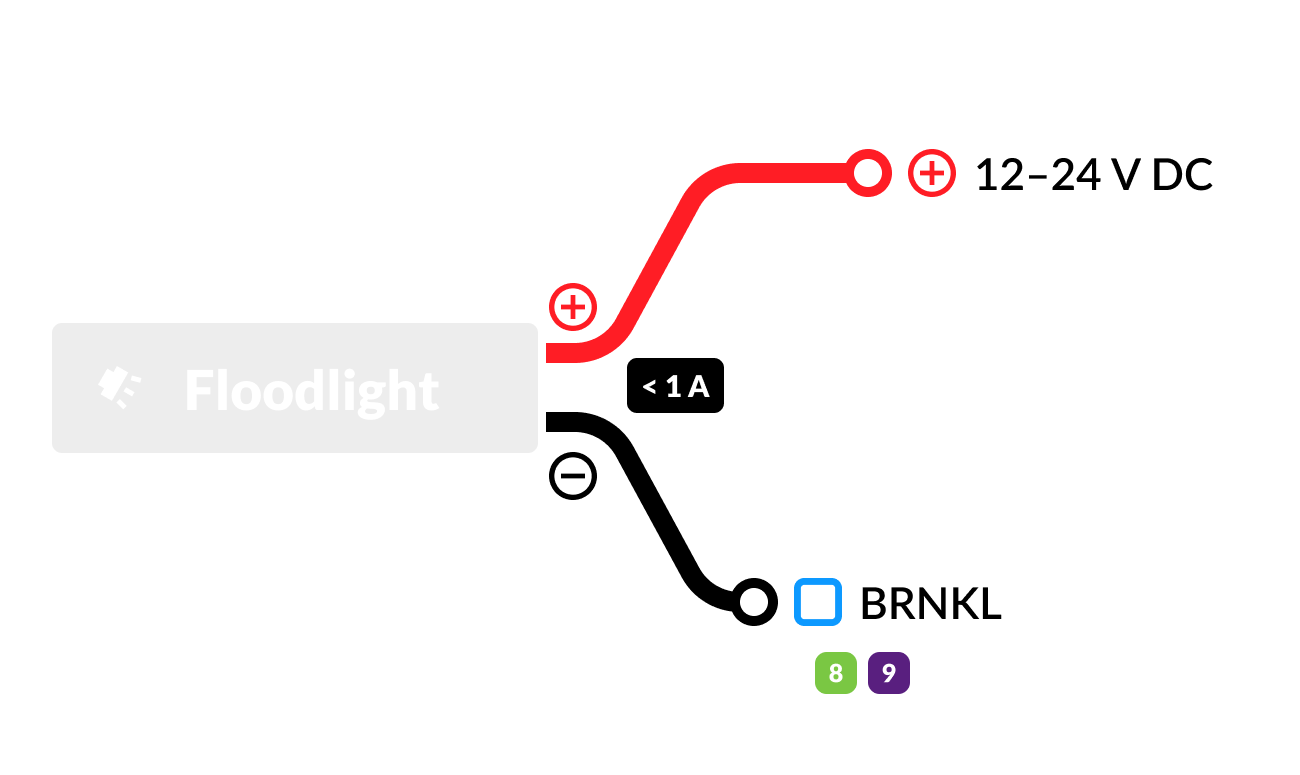
Connect DC output device (< 1 A)

Connect the following:

  • Positive terminal img pos circle icon.svg to a 12–24 V DC img pos circle icon.svg power source terminal.

    • Make sure connection is unswitched.

  • Negative terminal img neg circle icon.svg to available output channel img channel 8 icon.svg img channel 9 icon.svg on BRNKL connector cable.


att_1_for_2257322424_2.png

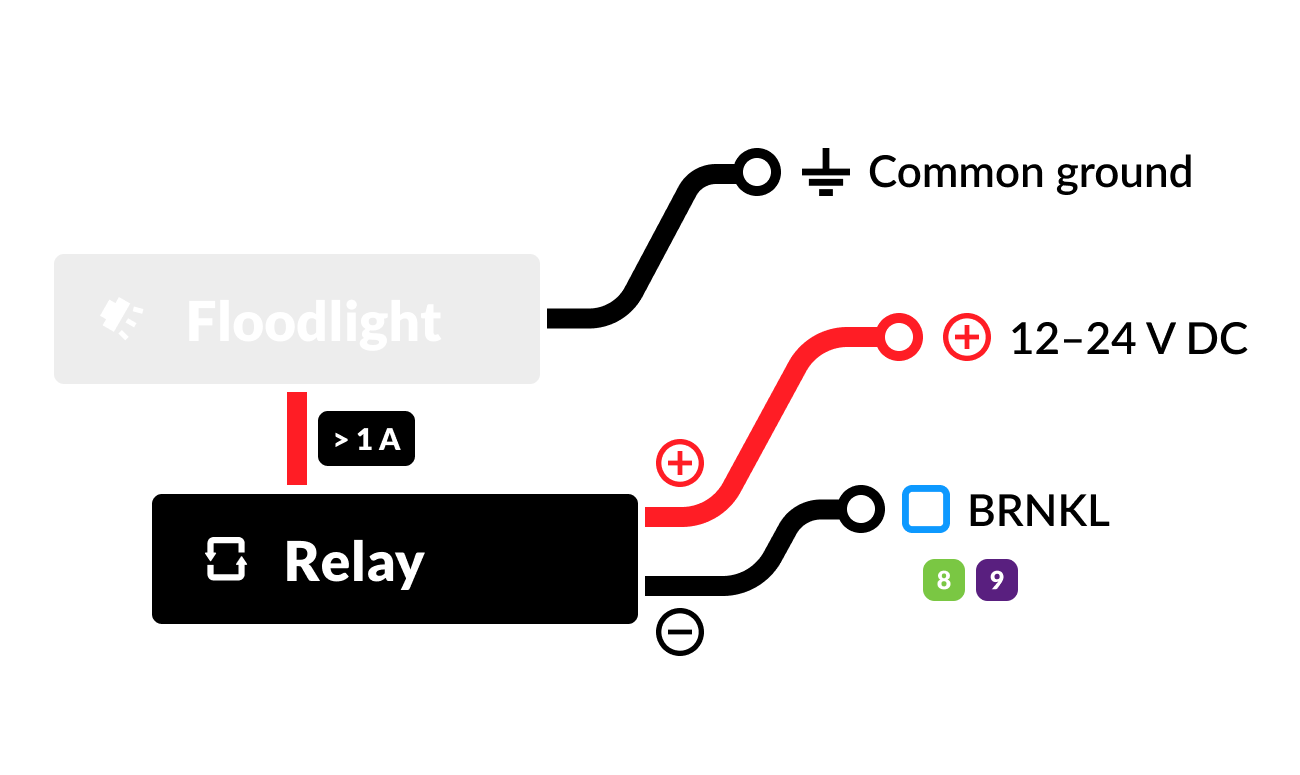
Connect high-powered DC output device (> 1 A)

Using a device-compatible 12–24 V DC automotive relay, connect the following:

  • Positive img pos circle icon.svg device terminal to 87 (NO) img pos circle icon.svg relay terminal.

  • Negative img neg circle icon.svg device terminal to common ground img common ground icon.svg terminal.

  • 30 (COM) img pos circle icon.svg relay terminal to 12–24 V DC img pos circle icon.svg power source terminal.

    • Make sure connection is unswitched.

  • 85 (COIL-) img neg circle icon.svg relay terminal to available output channel img channel 8 icon.svg img channel 9 icon.svg on BRNKL connector cable.

att_2_for_2257322424_2.png