
This page covers the CZone-side configuration needed to expose circuits to BRNKL. For general activity settings (toggles, sensor types, thresholds), see Add NMEA 2000 device.
This page assumes the installer is familiar with CZone digital switching requirements and terminology.
CZone integration provides remote access to CZone circuit states and optional remote control of those circuits. Enabling remote control requires a two-step CZone configuration: enabling remote switches, then assigning those switches to the circuits you want to control.
Prerequisites
-
At least one CZone digital switching device that supports Binary Switch Bank (the "Module").
-
CZone Config Tool version 15 or later.
-
CZone module firmware version 6.15.8.0 or later.
-
CZone programmer.
-
BRNKL Blue connected to the same NMEA 2000 network as the CZone module.
The integration will not function if the CZone Config Tool or module firmware version requirements are not met.
Step 1 — Enable remote switches in CZone Config Tool
A CZone module must be selected to act as a gateway between the CZone system and the BRNKL Blue. Each entry creates 28 virtual remote switches that can be assigned to circuits.
-
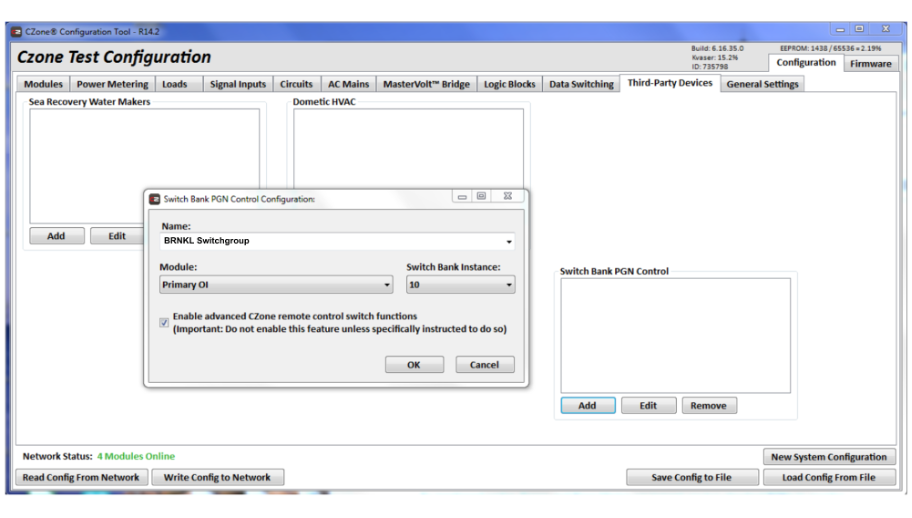
Go to the Third-Party Devices tab and add Switch Bank PGN Control.
-
Select a module and choose a Switch Bank instance number not already in use on the network.
Ensure no other device on the network is transmitting PGN 127501 with the same instance number.
-
Enter a name for the configuration. This name appears later in the circuit control selection.
-
Enable Advanced CZone remote control switch functions.
-
Click OK. You now have 28 remote switches available to assign.
Step 2 — Assign remote switches to circuits
Repeat for each circuit you want to control:
-
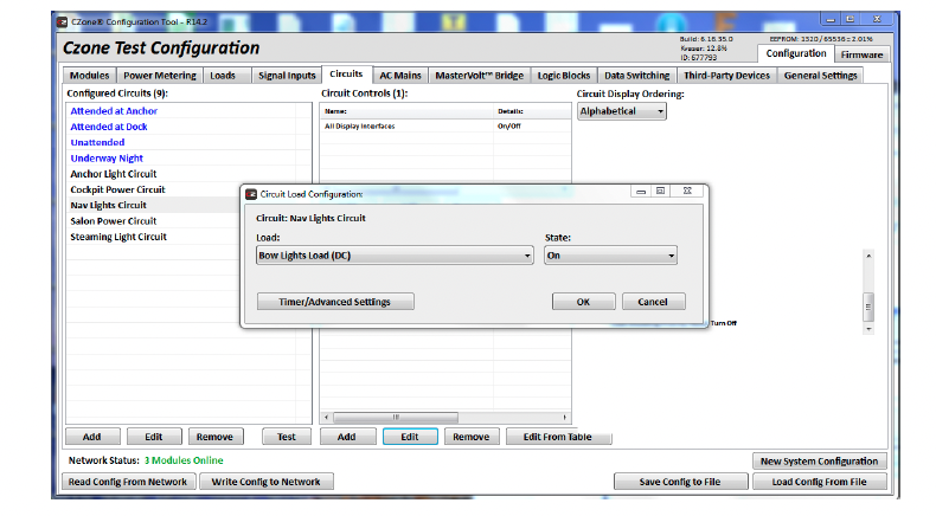
Select the circuit in the configured circuits section.
-
Under Circuit Controls, click Add.
-
Select the control interface configured in Step 1.
-
From the Input selector, pick an available remote switch and click OK.
-
Once all circuits are assigned, apply the settings and upload the configuration to the CZone system.
Step 3 — Configure circuits in BRNKL
Once the CZone system is configured and powered on with the BRNKL Blue connected to the NMEA 2000 network, BRNKL automatically detects the CZone Switch Bank PGN and requests circuit names. CZone switches then appear in Settings > NMEA 2000 and can be operated from the Control tab.
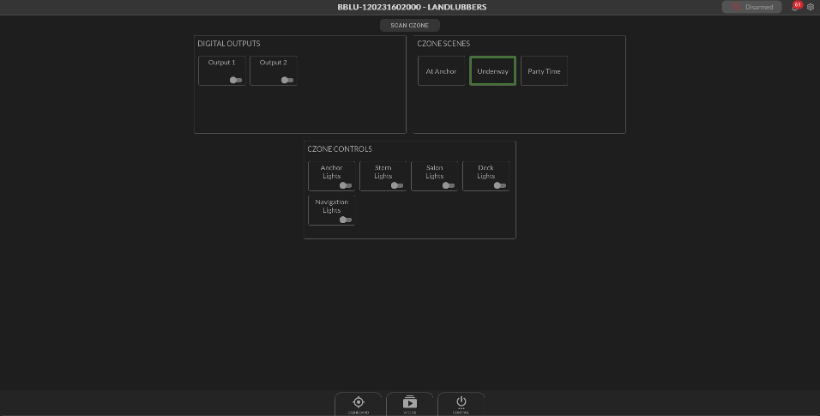
Configure each circuit using the standard NMEA 2000 activity settings — see Add NMEA 2000 device for the full reference.