
Connect a wireless USB dongle to your BRNKL Blue to use wireless sensors and peripherals.
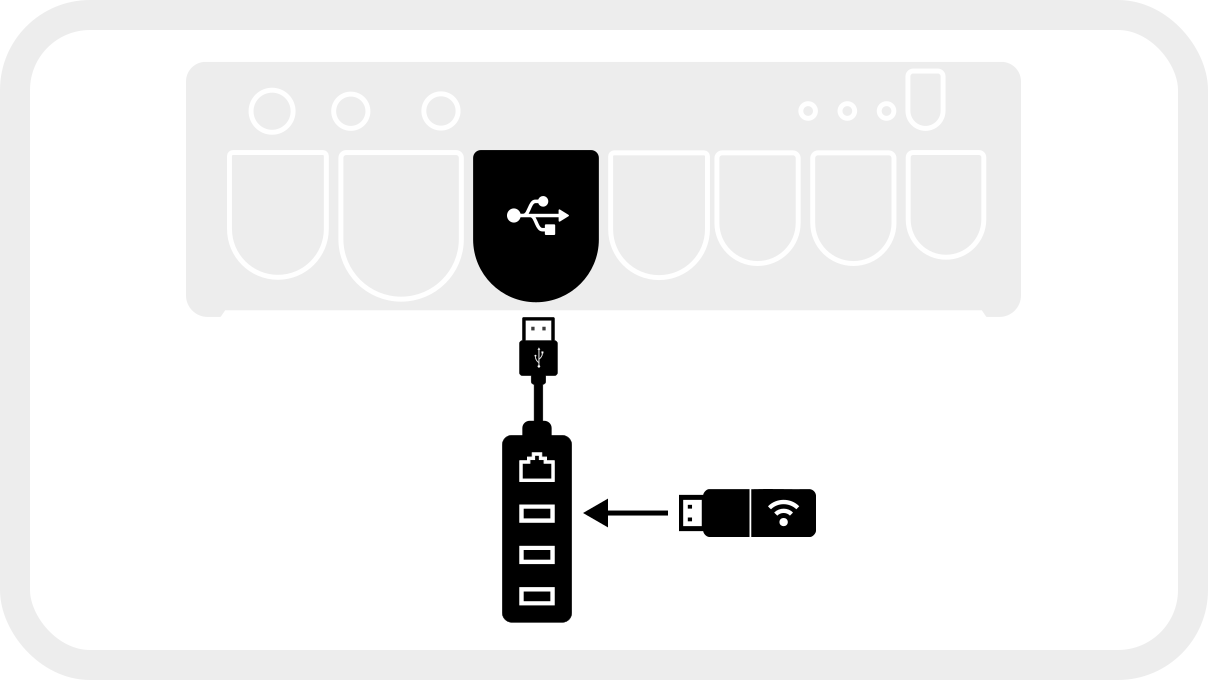
A USB extension cable is required. The wireless dongle must not be plugged directly into the BRNKL Blue — the metal enclosure significantly reduces Z-Wave range. Always use the supplied USB extension cable to position the dongle away from the enclosure.
Install the wireless dongle
-
Plug the supplied USB extension cable into a USB port on the BRNKL Blue. If your unit has a USB-to-Ethernet hub installed, plug the extension cable into one of the hub's USB ports instead.
-
Plug the wireless dongle into the other end of the extension cable.
-
Position the dongle away from the BRNKL Blue's metal enclosure and away from large metal objects for best range.
.svg?cb=db874cae2b3250e4a249d93dac028f20)
Enable the wireless adapter in Device Manager
-
Open BRNKL Device Manager and go to Settings.
-
In the left-hand menu under Devices, click Show more and select Wireless.
-
Under Wireless Adapter, select your USB Z-Wave dongle from the dropdown menu (it usually appears as
dev/ttyACM0or similar). -
Click Save in the top-right corner, twice.
The wireless adapter is now ready. To pair wireless sensors, see Add wireless device.