
This page explains how to pair and configure a Fibaro Key Fob with your BRNKL Blue system. The BRNKL Blue works with this device to extend the security and automation capabilities of BRNKL.
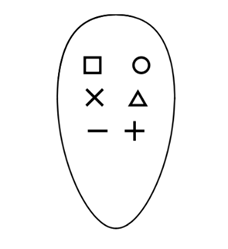
The key fob is a compact wireless remote that gives you quick, one-touch control of your BRNKL system. Each button can be customized to perform actions such as arming or disarming the system, triggering panic mode, starting events, or activating features like Fish On!
What you need:
-
A wireless dongle must be connected to your BRNKL Blue.
-
The Fibaro key fob.
For full product details and documentation, see the Fibaro manufacturer’s page.
Pairing a Key Fob
-
Power on the key fob
-
Remove the plastic battery tab (if present).
-
-
Start pairing in the BRNKL Device Manager
-
Navigate to Settings → Wireless.
-
Click + Add Device.
-
A prompt will appear: “Set device to inclusion mode.”
-
-
Put the key fob into inclusion mode
-
Quickly press any button 3 times.
-
The LED will pulse white, indicating inclusion mode.
-
-
Enter Device Name
-
BRNKL will ask you to name the device.
-
-
Complete pairing
-
The key fob will appear in the list of Wireless devices in the Device Manager once pairing is complete.
-
Configuring the Key Fob
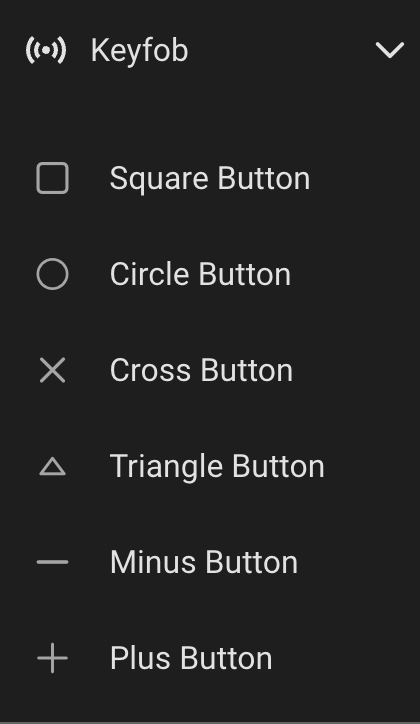
Clicking on the device in the list of Wireless devices will show the six button endpoints.
Button Settings
Clicking on any button endpoint will show the basic input settings.
-
Monitor — Displays button presses live on the BRNKL dashboard (useful for testing).
-
Alert — Sends a push notification when pressed (only while armed).
-
Critical Alert — Sends a notification even if disarmed.
-
Record — Logs each press in the system history.
Advanced Settings
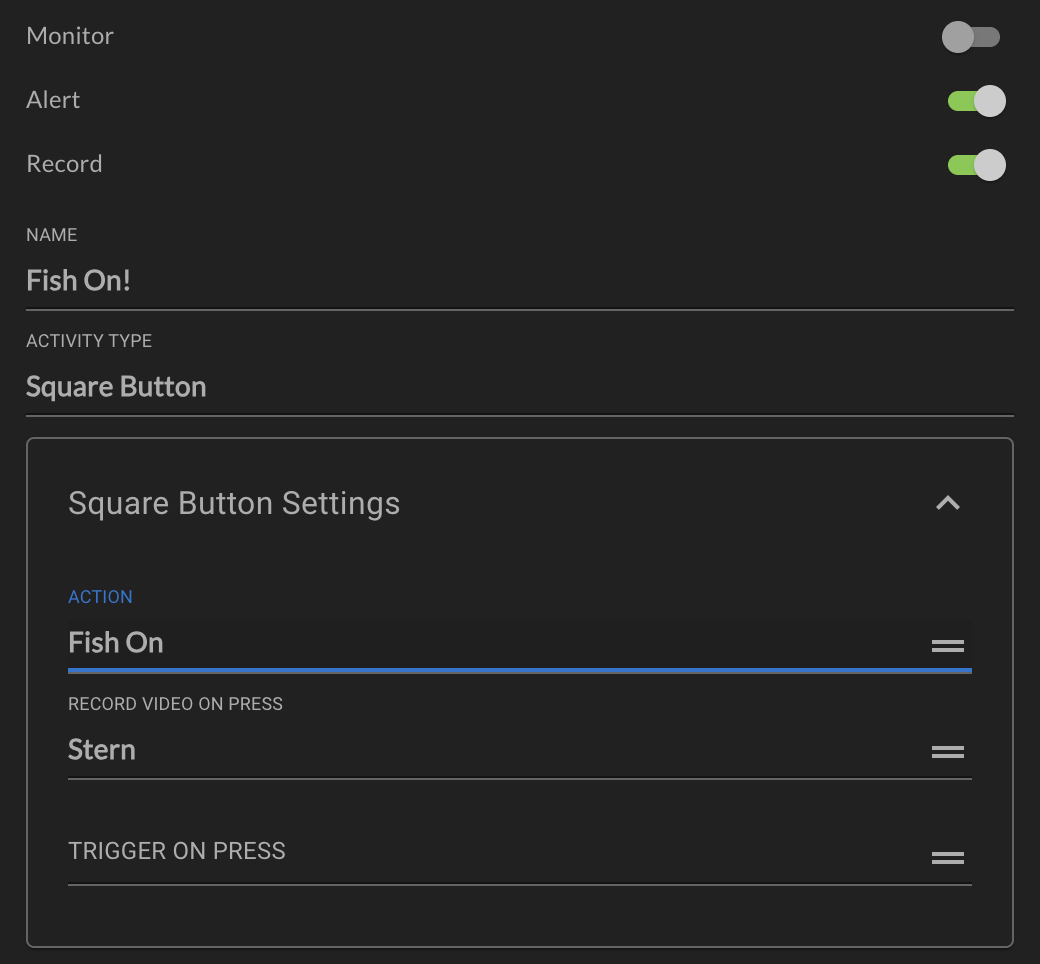
Expanding the Button Settings panel will show the advanced settings.
-
Action — Actions that can be performed when the button is pressed:
-
Arm System — Arms BRNKL security.
-
Disarm System — Disarms BRNKL security.
-
Panic — Triggers an output relay immediately.
-
Fish On! — Activates the Fish On! automation (i.e., begins recording video). Pressing a second time will deactivate Fish On! and stop the recording.
-
Control Device — Directly control a BRNKL output relay.
-
Start Timed Event — Runs an automation for a set time (e.g., light on for 10 minutes).
-
Start/Stop Event — Toggles an event or automation on and off.
-
-
Chirp on Press — Select an output to trigger briefly when the button is pressed. Typically a siren, for audible feedback.
Removing a Key Fob
-
On the key fob, press Circle + Minus together.
-
Press Triangle or Square until the LED glows green.
-
Press Plus (+) to confirm.
-
In BRNKL, go to Settings → Wireless, select the device, and press remove.
Factory Reset
-
On the key fob, press Circle + Minus together.
-
Press Triangle or Square until the LED glows yellow.
-
Press Plus (+) to confirm.
Alternate Reset:
-
Remove the battery.
-
While reinserting the battery, hold Square + Plus until the LED confirms reset.
If pairing fails, always try an exclusion first, then repeat the pairing process. If pairing is still unsuccessful then factory reset and try again.