
This page covers the device-specific steps for the Zooz ZSE44 Temperature & Humidity Sensor. For general pairing flow, prerequisites, and activity settings, see Add wireless device. For full product details, see the Zooz manufacturer's page.
The temperature and humidity sensor monitors conditions inside the vessel — engine room, galley, cabin — reporting real-time readings to BRNKL. It can be used to flag overheating, excess moisture, or mould before they become problems.
Pair temperature and humidity sensor
-
Use the included triangle tool to open the case and remove the plastic battery tab from under the coin battery. Leave the cover open to see the LED indicator. The LED will blink for about 10 seconds to confirm power-up.
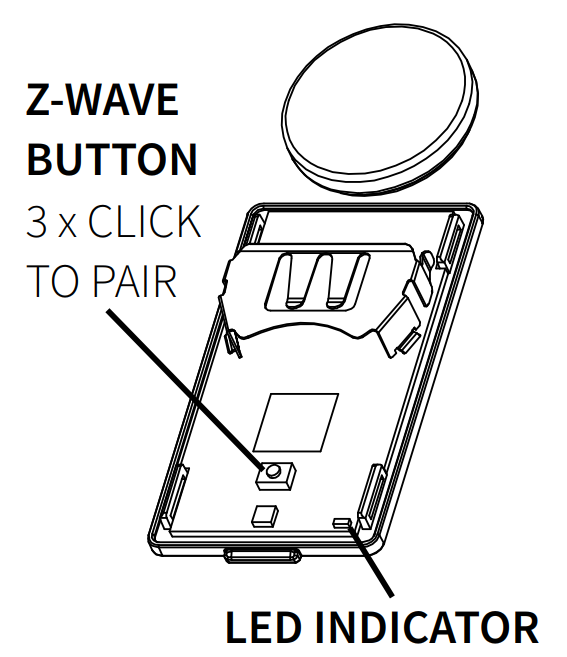
-
In BRNKL Device Manager, go to Settings > Wireless and click + Add Device.
-
Press the Z-Wave button 3 times quickly. The LED will flash to indicate inclusion mode.
-
When prompted, enter the 5-digit PIN from the product box, back of the sensor, or inside the battery compartment, then enter a descriptive name.
Endpoints
Once paired, the sensor exposes three endpoints in the Wireless device list, each configured independently:
-
Temperature — analog reading in °C or °F.
-
Humidity — analog reading in %.
-
Battery Level — analog reading reporting remaining battery percentage. Use the Lower Threshold to alert when the battery drops below a chosen level.
Remove temperature and humidity sensor
-
Open the sensor and locate the pairing button.
-
Press the button 3 times quickly. The LED will flash to indicate exclusion mode.
-
In BRNKL Device Manager, go to Settings > Wireless, select the device, and click – Remove.
Factory reset
-
Open the sensor and locate the pairing button.
-
Press the button twice quickly, then press again and hold for 10 seconds. The LED will blink, then go solid.
-
Press the button 2 more times quickly. The LED will flash 3 times to confirm the reset.